Padrift
TCG61 × 35.5 cm· 24″ × 14″

Custom Playmats – Your Art, With or Without Card Zones

$48.99$61.24Save 20%

Custom playmats printed with your own art: 24″ × 14″ (61.5 × 35.5 cm), 3 mm micro-woven cloth on neoprene with a natural rubber base and stitched edges. Keep it clean or add card zones for MTG, Pokémon, Yu-Gi-Oh!, One Piece, Lorcana and 10+ more games, in any colour, and see it in 3D and AR before you order.

TCG print template · 24″ × 14″ (61 × 35.5 cm)61 × 35.5 cm · 0.6″ safe · 0.3″ bleedCut line · 0.6″ safe area · 0.3″ bleed · 150 DPI PDF

Your image: not added yetPNG, JPG, WebP · up to 40 MB

Layout: Without Zones
1

Estimated delivery

2–5 business days

to United States
Returns & exchanges

Shipping cost

Ship to

Free shipping2–5 business days · United StatesFree

Final cost is confirmed at checkout.

Your art fits here too

Surface
Micro-woven cloth
Top layer
Neoprene
Base
Natural rubber, non-slip
Size
24″ × 14″ (61.5 × 35.5 cm); two-player 24″ × 28″ (60 × 70 cm)
Thickness
Optimized 3 mm
Edges
Double-stitched
Print
Fade-resistant HD
Compatibility
MTG, Pokémon, Yu-Gi-Oh & more
Washable
By hand or machine (gentle, cold)

  1. 1Machine washableIf it gets dirty, wash it on a gentle cycle with cold water.
  2. 2Air dry onlyLet it dry flat; don't use bleach or an iron.
  3. 3Roll, don't foldStore it rolled to keep the surface smooth for the next game.

How it works

From your file to your playmat

Every file is checked before it's printed. If yours is too small for the size you picked, we sharpen it and send you a proof first.

01Uploadpadrift.com/customDrop your image herephoto.jpg · 1,200 × 800 pxPrint checkSizeFits!Sharpness72 DPISharpness150 DPIYour proof is readyUpscaled for your sizeApprove Approved Printed Packed

The details

Built for battle

Elevate every duel with the Padrift TCG playmat. Built for serious card play, our mats feature a smooth micro-woven cloth surface that lets your sleeved cards glide effortlessly while protecting them from scratches, dust and table wear.

Whether you're battling at your local game store, grinding a tournament, or playing at home, the non-slip rubber base keeps the mat locked in place for a steady, professional play surface.

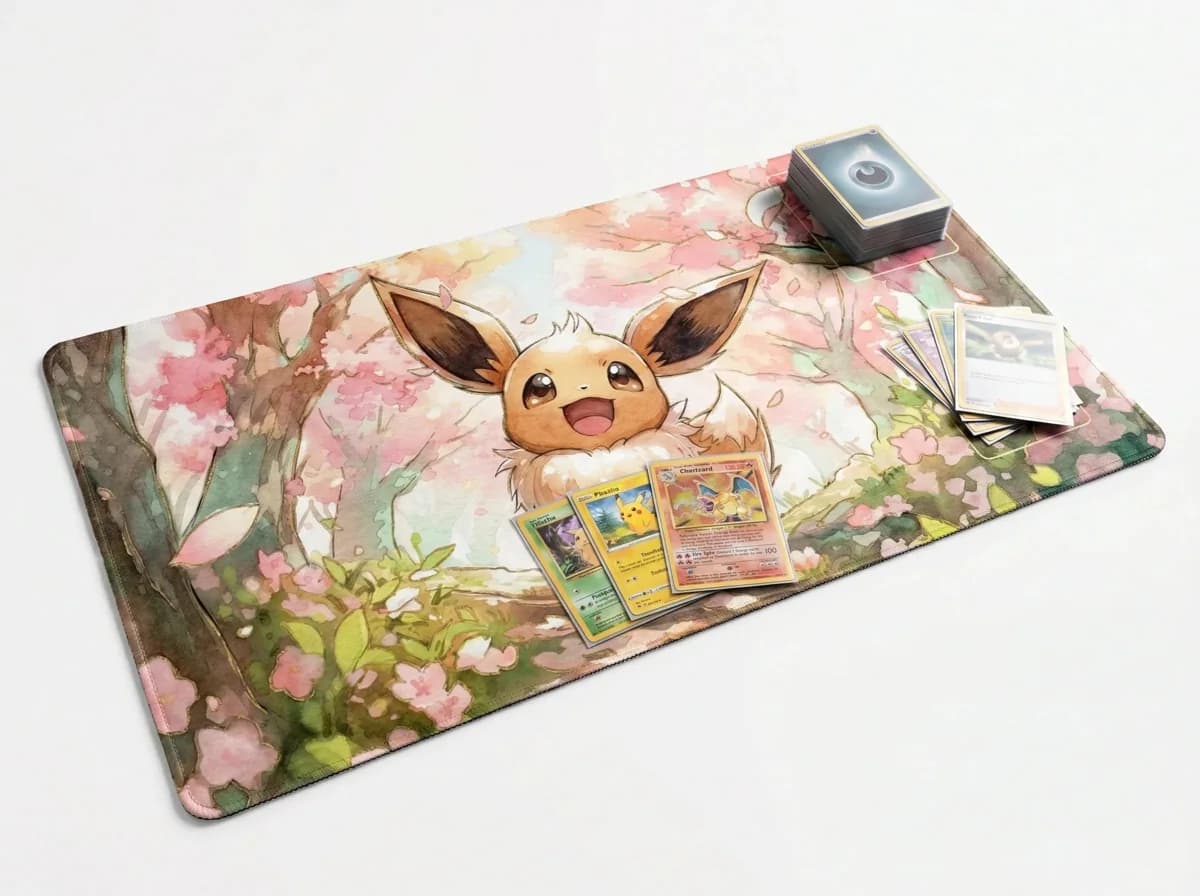
Premium play surface of a TCG playmat01 / 05

Built for play

Premium Play Surface

More than just a mat, it's your battlefield. The specially engineered micro-woven cloth surface lets your sleeved cards glide smoothly into place, while protecting them from scratches, dust and table wear during every game.

  • Smooth card glide
  • Protects your cards
  • Micro-woven cloth
Tournament-ready 24″ × 14″ (61.5 × 35.5 cm) TCG playmat02 / 05

Tournament grade

Tournament-Ready Size

Sized for serious play and compatible with all major trading card games—MTG, Pokémon, Yu-Gi-Oh, One Piece and more. Plenty of room for your deck, graveyard and active zones, keeping your setup organized and tournament-legal.

  • 24″ × 14″
  • Tournament legal
  • All major TCGs
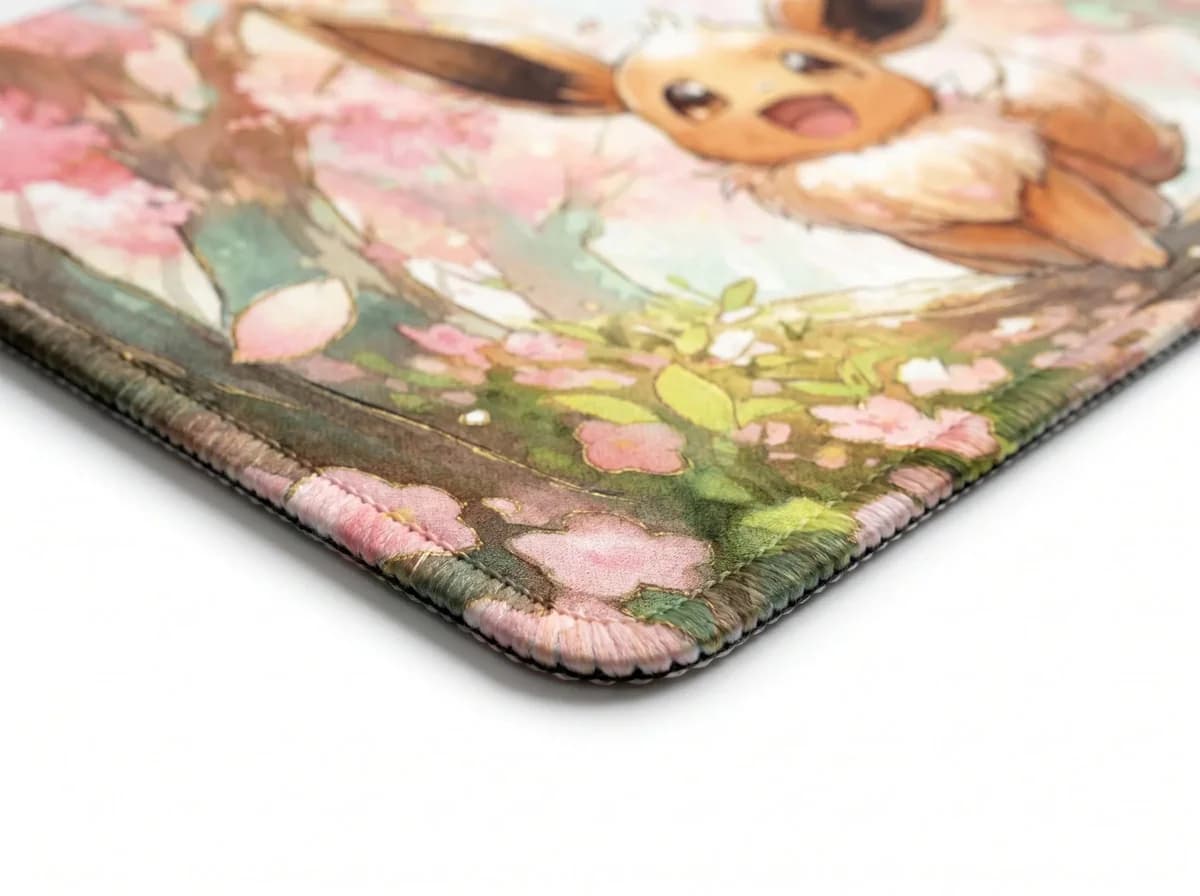
Double-stitched edges of a TCG playmat03 / 05

Made to last

Premium Stitched Edges

Built to survive countless games. The reinforced double-stitched borders prevent fraying, peeling and wear, keeping your playmat looking sharp and structurally sound even after years of shuffling, sleeving and battling.

  • Double-stitched
  • No fraying
  • Reinforced borders
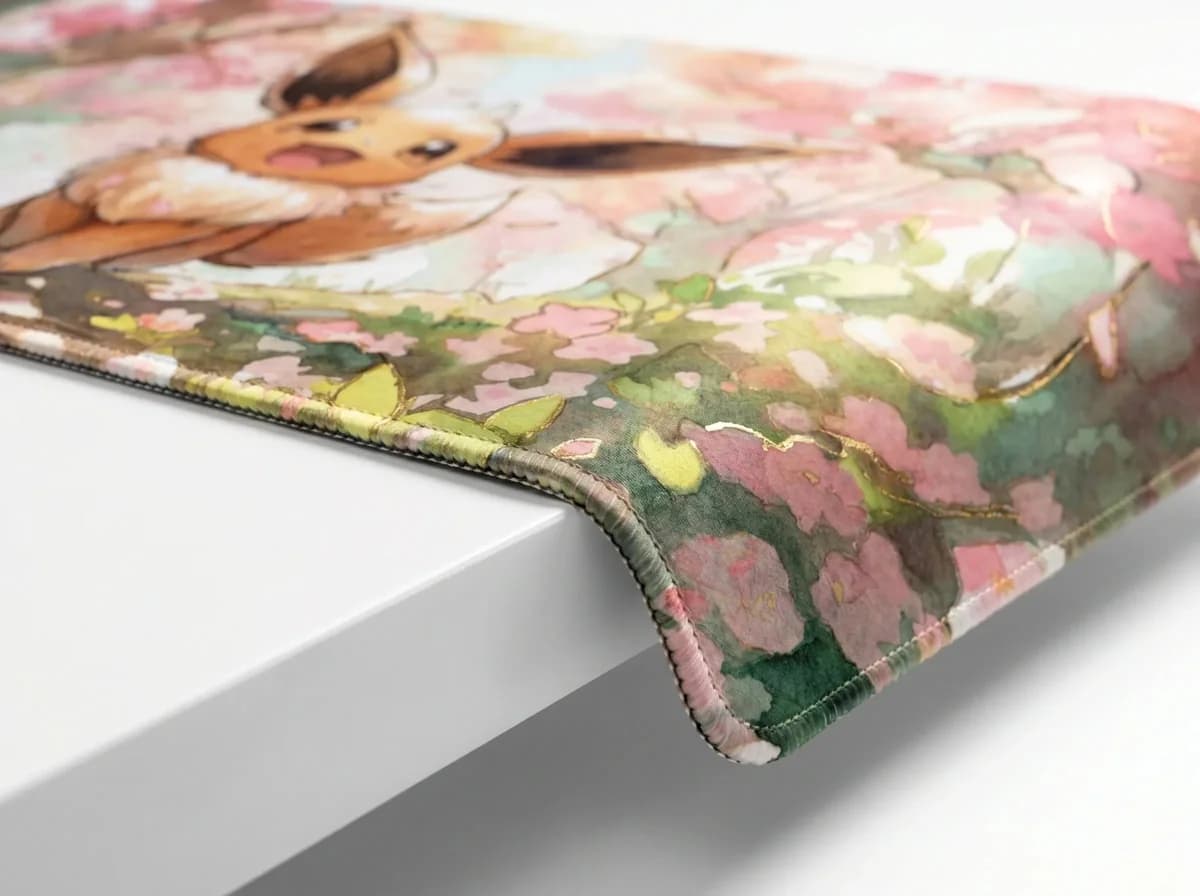
3mm thickness of a TCG playmat04 / 05
3mm

Just right

Optimized 3mm Profile

The ideal thickness for tabletop play. It offers a comfortable, cushioned surface that makes picking up cards easy, yet stays low-profile enough to keep your play area flat, stable and consistent across the whole mat.

  • 3mm thickness
  • Easy card pickup
  • Flat & stable
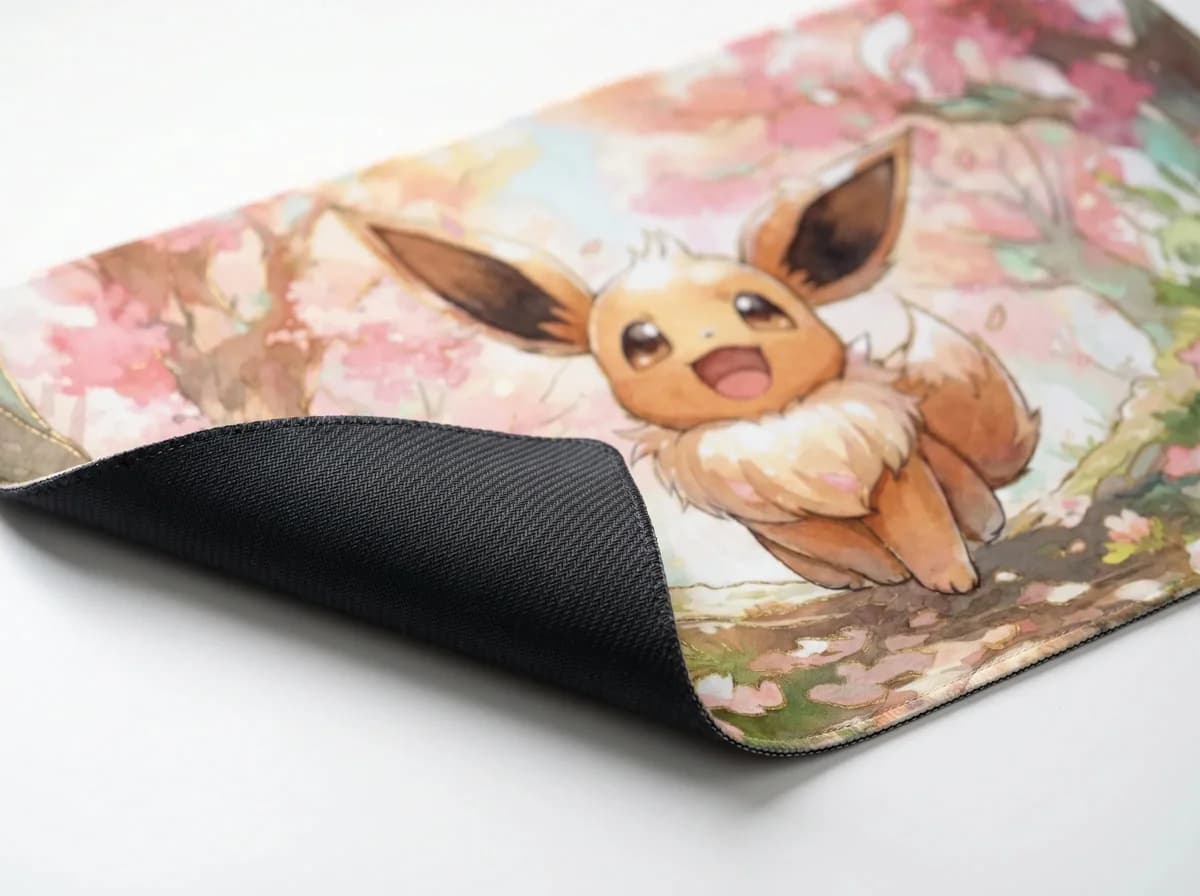
Natural rubber anti-slip base of a TCG playmat05 / 05

Rock solid

Anti-Slip Base

Stability you can trust. The textured natural rubber backing grips firmly to any table surface, so your playmat stays locked in place—no shifting or sliding mid-game, even during fast-paced turns and heated matches.

  • Stays locked
  • Natural rubber
  • Grips any table

About Custom Playmats

Custom playmats: design your own TCG playmat

Custom playmats from Padrift are 24″ × 14″ (61.5 × 35.5 cm) TCG playmats printed with your own art: upload an image, place it, and keep the mat clean or add card zones for Magic: The Gathering, Pokémon, Yu-Gi-Oh!, One Piece, Lorcana and more than ten other games, in any colour. Each mat is 3 mm thick, with a micro-woven cloth surface, stitched edges and a natural rubber base, and you can see your design in 3D and in AR on your own table before you order.

What is a custom playmat?

A playmat is the cloth-topped rubber mat you play trading card games on. It gives your cards a smooth, clean surface, keeps them off a sticky or scratched table, and marks out your side of the game. A custom playmat is the same mat printed with an image you choose instead of a store design: your own drawing, a commissioned piece, a photo of your pet, your group's logo or your favourite deck's art.

Custom TCG playmats are popular for the same reason custom sleeves and deck boxes are: the mat is the one piece of your setup everyone at the table looks at for the whole game. A mat with your own art is easy to spot in a crowded store, makes a lasting gift for a player, and turns a deck you love into something you see every time you sit down to play.

How to make your own playmat, step by step

Making your own playmat on this page takes a few minutes, and nothing is printed until you order. The builder works the same on a phone and on a computer.

  • Upload your image. Drop a PNG, JPG or WebP file (up to 40 MB) onto the upload box, or browse for it. The print check under the upload tells you straight away whether the file is soft, good or sharp at 24″ × 14″.
  • Place it. Fill covers the whole mat and crops what doesn't fit; Fit shows your whole image and fills the space around it with a blur, a matching colour, white or black; Stretch fits it exactly by changing its proportions. Zoom in, rotate it and use Move image on the preview to drag it where you want it.
  • Choose Without Zones or With Zones. Without Zones keeps your art clean, edge to edge. With Zones prints card guides over it: pick your game, a zone style and a zone colour.
  • Check it in 3D and AR. Turn the mat on the page to see the print, the stitched edge and the thickness, then open it on your phone to place it on your own table at real size.
  • Add it to your cart. If your image needs it, we sharpen it up for print and email you a proof to approve before printing.

Custom MTG playmats and Magic: The Gathering zones

Magic players search for custom playmats more than any other group, and for good reason: a playmat is part of how you play Magic, from the battlefield where your permanents sit to the library, graveyard and exile piles beside it. Our custom MTG playmats print any art you like, and with zones on they add a Magic layout over it: a wide battlefield, a lands row, and slots for your library, graveyard and exile.

Commander players get their own layout. The Commander mat moves the battlefield over to make room on the left for a commander slot, a life total box and a commander tax box, so the things you track every turn have a home. If you'd rather start from a finished design, browse our MTG playmats; if you want your own, this builder makes custom magic playmats from any image.

Custom Pokémon playmats with zones

A Pokémon playmat with zones is one of the most useful mats for newer players and for anyone teaching the game. The Pokémon layout prints the Active Spot, the five Bench slots, the Stadium slot, the six Prize cards (in their two overlapping columns), the deck and the discard pile, so every card has its place on the mat.

Pokémon has more than a dozen zone styles, from Classic name-tab frames to pixel-art, Pokédex and Battle Screen looks, and every one can be printed in the zone colour you choose. Ready-made art is in our Pokémon TCG playmats; for a custom Pokémon playmat, upload your own and pick a style.

Yu-Gi-Oh!, One Piece, Lorcana and every other game

Every game has its own field, so every game gets its own zone layout. Yu-Gi-Oh! mats print the five Main Monster Zones, the five Spell & Trap Zones, the Field Zone, the two Extra Monster Zones, the Graveyard, Banishment, Extra Deck and Deck. One Piece mats lay out the Character Area, the Cost Area, the Leader, Stage, Life, DON!! deck, deck and trash. Disney Lorcana mats carry a 0–20 lore track across the top over the play area and the inkwell.

The builder also covers Riftbound (with its 0–8 score track), Star Wars: Unlimited (ground and space arenas either side of your base and leader), Digimon (with the 10–0–10 memory gauge), Gundam (shield area, battle area and resource area), Flesh and Blood (the equipment, hero, weapons, arsenal and combat chain as the rules lay them out), Dragon Ball Super Fusion World, Final Fantasy, Cardfight!! Vanguard, Weiß Schwarz, Union Arena and Sorcery: Contested Realm. Playing something that isn't listed? Universal prints plain, unnamed card slots that work for any game.

Looking for a finished design instead? See our Yu-Gi-Oh! playmats, One Piece playmats, Riftbound playmats and Gundam Card Game playmats, or everything in TCG playmats.

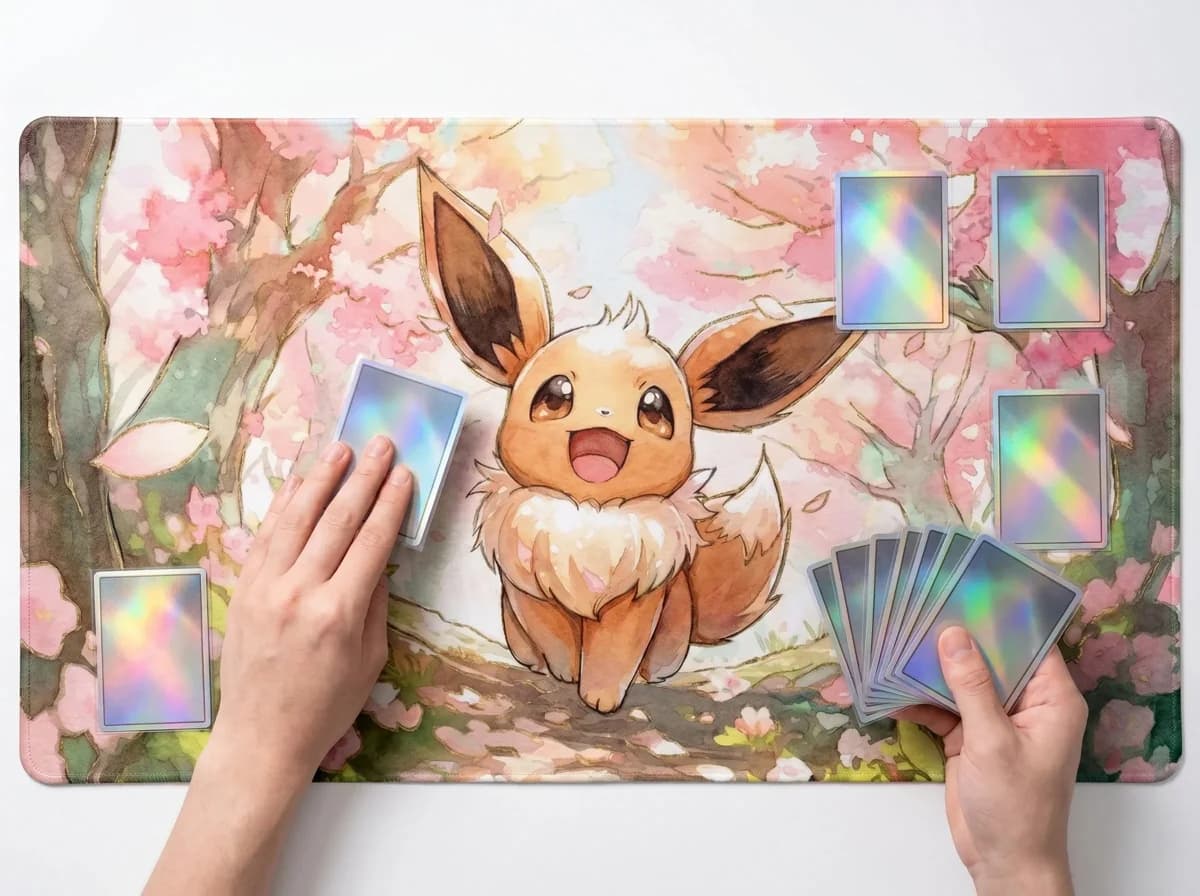
With zones or without: which playmat to choose

Choose Without Zones if the art is the point: a commission, a photo or an illustration you want to see whole, with nothing printed over it. It's also the right choice if you play several games on the same mat, since a clean mat works for all of them.

Choose With Zones if you want the mat to help you play: zones keep a busy board tidy, make it easier for opponents and judges to read your side of the table, and are a real help when you're learning a game or teaching it to someone else. The zones are printed in thin, clear lines over your art, and you choose how they look and what colour they are.

Making zones readable on busy art

Zones only help if you can see them at a glance, so the builder lets you match them to your art. Auto chooses for you: it reads how light or dark your image is and prints black lines on light art and white lines on dark art. For art with both light and dark areas, a strong colour often reads better than either: lime, amber or coral stand out on deep blues and purples, while blue, violet or black hold up on pale, sunny art.

Look at the 3D preview with your real art loaded rather than the stand-in, and turn the mat as a player would see it across the table. If a zone disappears into a detailed part of the picture, try another colour or another zone style; the plain outline style is the lightest touch, while themed styles add frames and labels that are easier to find on very busy art.

Zone styles and zone colours

Many games come with several zone styles on top of the plain outline: Pokémon, Magic, Commander, Yu-Gi-Oh!, One Piece, Lorcana, Riftbound, Star Wars: Unlimited and Digimon all have themed frames to pick from, each drawn to the same card sizes so your cards fit whichever style you choose. The style previews in the builder are drawn with the real zones, in your chosen colour, so what you see is what is printed.

Zone colour works for every game and every style. Auto prints black lines on light art and white lines on dark art; you can also choose one of eleven ready-made colours (white, black, lime, amber, coral, red, pink, violet, blue, teal or grey) or mix any colour you like with the hue and shade sliders, or type in a hex code to match your art exactly.

Playmat size: how big is a TCG playmat?

The standard TCG playmat size is 24″ × 14″, about 61.5 × 35.5 cm, and that is the size of our custom playmats. It is the single-player size used for Magic: The Gathering, Pokémon, Yu-Gi-Oh!, One Piece, Lorcana and most other card games, so it fits a standard play space at a store table and in most playmat bags and tubes.

Every card slot in our zone layouts is 2.7″ × 3.7″ (68 × 93 mm). A standard-size card (2.5″ × 3.5″, 63 × 88 mm) in a sleeve is around 2.6″ × 3.6″ (66 × 91 mm), so it sits inside the slot with a little room to spare, and smaller Japanese-size cards such as Yu-Gi-Oh! fit with more. If you need room for two, see our two-player TCG playmats.

What our custom playmats are made of

Every custom playmat is built like our ready-made ones. The top is a micro-woven cloth that lets sleeved and unsleeved cards slide into place without snagging and protects them from table wear. Under it is a 3 mm cushioned neoprene layer that makes cards easy to pick up and gives the mat a solid feel, and the base is textured natural rubber that grips the table so the mat doesn't shift mid-game.

Your art is dye-sublimated into the cloth, a heat-transfer print that goes into the surface rather than sitting on top of it, so it doesn't crack or peel and resists UV, friction and regular play. The edges are stitched all the way round to stop fraying and peeling, and the print runs edge to edge.

Custom playmat printing: what image works best

For a sharp custom playmat print, use an image of about 3,600 × 2,100 pixels, which is 150 DPI at 24″ × 14″. The print check under your upload measures your file against the size and shows it as soft, good or sharp, with the DPI, as soon as you add it. Landscape images suit the mat's shape best; portrait images can be rotated, or placed with Fit so nothing important is cropped.

A smaller image isn't a dead end. If your file is low resolution, we sharpen it up for print and email you a proof to approve before anything is printed, so you see the result first. A few tips for the best result:

  • Keep faces, text and logos at least 0.6″ (1.5 cm) in from the edge, clear of the stitching.
  • With zones on, check the preview so key parts of your art sit between the zones rather than under a card slot.
  • Use the original file rather than a screenshot or a photo of a screen; it's always sharper.
  • Only upload art you have the right to print: your own work, a commission you're allowed to use, or your own photos.

Getting the shape right: a 24 × 14 canvas

A playmat is a wide landscape shape, 24 by 14, which works out to about 1.71 to 1. That's very close to a 16:9 widescreen image (1.78 to 1), so wallpapers, screenshots of game art and widescreen photos fit almost perfectly: with Fill, only a thin strip is cropped from each side. Square and portrait images need more care, because Fill will crop a lot of the top and bottom to cover the mat.

For a square or portrait image you have three good options. Rotate it in the builder if it reads well sideways; use Fit to show the whole image and fill the sides with a blurred version of your art, a matching colour, white or black; or use Move image and zoom to choose exactly which part fills the mat. The 3D preview updates as you go, so you can try each one in seconds.

Commissioning art for a custom playmat

If you're asking an artist to draw your playmat, give them the brief a printer would. Ask for a landscape piece at 3,600 × 2,100 pixels or larger (or any size at the same 24:14 shape), delivered as a PNG or high-quality JPG. Ask them to keep characters' faces, signatures and any text at least 0.6″ (1.5 cm) in from every edge, so nothing important sits on the stitching.

If you plan to add zones, tell the artist which game it's for and share a screenshot of the zone layout from this page, so they can leave calmer areas where the card slots go and put the most important part of the picture where the cards won't cover it. Upload the finished file here to check its sharpness and preview it with zones before you order.

See it before you order, in 3D and AR

The mat on this page is a live 3D model of your playmat: turn it to see the print, the stitched edges and the 3 mm profile, and zoom in to check the detail. On a phone, View on your desk opens it in AR so you can place it on your own table at its real size, next to your real cards and deck box, before you order.

How to clean and care for your playmat

Cleaning a playmat is simple. Our playmats can be washed by hand or in the machine: if yours gets dirty, wash it by hand or on a gentle cycle with cold water, then let it air dry flat. Don't use bleach and don't iron it. To keep the surface smooth between games, store it rolled rather than folded, and if it arrives with a curl from being rolled, lay it flat for a few hours and it settles on its own.

Can you use a playmat as a mouse pad?

Yes, many players do: a playmat is a large cloth-topped rubber mat, much like a desk mat. If you want a pad made for your mouse, though, our custom mouse pads use a fabric surface built for precise control and come in sizes from small pads to full desk mats, with the same upload, 3D preview and AR as this page.

Your art on more than a playmat

The image you place here works on every Padrift builder. Put the same art on a custom mouse pad for your desk, a custom area rug in crushed or plush velvet for the floor of your game room, or custom wall art as a poster, canvas or framed canvas for the wall above your table. Every builder shows your design in 3D and in AR before you order.

Custom playmats for tournaments, stores and gifts

Playmats with your own art are a common sight at local game nights and official events. Rules on artwork and printed guides vary by game and organiser, so if you're playing at a competitive event, check its rules before you go; a clean mat without zones is the safest choice when you're not sure.

Custom playmats also make memorable gifts for the card game player in your life, and a great way for a game store, team or community to put its own logo on the table. Each mat is made to order, so a single mat is as easy to order as several.

FAQ

Questions about Custom Playmats

How do I make a custom playmat?

Upload your image on this page, place it with Fill, Fit or Stretch, choose Without Zones or With Zones (your game, zone style and colour), check it in 3D and AR, and add it to your cart. Nothing is printed until you order.

What size is a custom playmat?

24″ × 14″ (61.5 × 35.5 cm), the standard single-player TCG playmat size used for Magic: The Gathering, Pokémon, Yu-Gi-Oh!, One Piece, Lorcana and most other card games. It's 3 mm thick.

Can I get a custom MTG playmat with zones?

Yes. With Zones on, choose Magic for a battlefield, lands row, library, graveyard and exile, or Commander for a layout with a commander slot, life total box and commander tax box.

Can I get a custom Pokémon playmat with zones?

Yes. The Pokémon layout prints the Active Spot, Bench, Stadium, Prize cards, deck and discard pile, in more than a dozen zone styles and any zone colour.

Which games can I get card zones for?

Pokémon, Magic: The Gathering (standard and Commander), Yu-Gi-Oh!, One Piece, Lorcana, Riftbound, Star Wars: Unlimited, Digimon, Gundam, Flesh and Blood, Dragon Ball Super Fusion World, Final Fantasy, Cardfight!! Vanguard, Weiß Schwarz, Union Arena and Sorcery: Contested Realm. Universal adds plain card slots for any other game.

Can I order a playmat without zones?

Yes. Without Zones is the default: your art is printed clean, edge to edge. Choose With Zones only if you want card guides printed over it.

Can I change the colour of the zones?

Yes, to any colour. Auto prints black lines on light art and white lines on dark art; you can also pick one of eleven ready-made colours or mix your own with the hue and shade sliders, or enter a hex code.

Will my sleeved cards fit inside the zones?

Yes. Each card slot is 2.7″ × 3.7″ (68 × 93 mm), which leaves room around a sleeved standard-size card (about 2.6″ × 3.6″). Smaller Japanese-size cards such as Yu-Gi-Oh! fit with extra space.

What image resolution do I need for a custom playmat?

About 3,600 × 2,100 pixels gives a sharp print at full size (150 DPI). The print check shows how your file will print as soon as you upload it. Lower-resolution images are sharpened up for print, and we email you a proof before printing.

Which file types can I upload?

PNG, JPG and WebP, up to 40 MB.

Can I see my playmat before I order?

Yes. Your design is shown on a 3D playmat you can turn and zoom, and on a phone you can place it on your own table in AR, at its real size.

How do I clean a playmat?

Wash it by hand or on a gentle machine cycle with cold water and let it air dry flat. Don't use bleach or an iron, and store it rolled rather than folded.

Will the print fade over time?

No. The art is dye-sublimated into the cloth, so it doesn't crack or peel and resists UV, friction and regular play.

Can I use a playmat as a mouse pad?

Yes, it's a large cloth-topped rubber mat much like a desk mat. For a surface made for your mouse, our custom mouse pads come in sizes from small pads to full desk mats.

Can I use my custom playmat at tournaments?

Playmats with your own art are common at local and official events, but rules on artwork and printed guides differ by game and organiser, so check your event's rules before you play.

Can I put the same design on other products?

Yes. The same upload works on our custom mouse pads, custom rugs and custom wall art, each with a 3D and AR preview.