
Custom Mouse Pads & Desk Mats – Your Image, Edge to Edge
Custom mouse pads and desk mats printed with your own photo, art or logo, edge to edge. Seven sizes, from a 16″ × 12″ (40 × 30 cm) mouse pad to a 48″ × 24″ (120 × 60 cm) desk mat, in 3 mm neoprene with a fabric top, stitched edges and a non-slip base. Upload your image, get the size it fits best, and see it in 3D and AR before you order.
Your image: not added yetPNG, JPG, WebP · up to 40 MB
Size: XL · 16″ × 36″
Estimated delivery
2–5 business days
Shipping cost
Ship to
Final cost is confirmed at checkout.
Your art fits here too
- Thickness
- 3 mm
- Material
- Neoprene
- Surface
- Fabric top
- Base
- Non-slip
- Edges
- Stitched, anti-fray
- High-resolution, fade-resistant
- 1Unroll and let it settleLay it flat on your desk; any curl from shipping relaxes on its own after a few hours.
- 2Give the base a clean surfaceA clean, dry desk lets the neoprene base grip properly so the mat stays put.
- 3Keep it freshSpot clean with a damp cloth and a little mild soap, then let it air dry flat.
How it works
From your file to your mouse pad
Every file is checked before it's printed. If yours is too small for the size you picked, we sharpen it and send you a proof first.
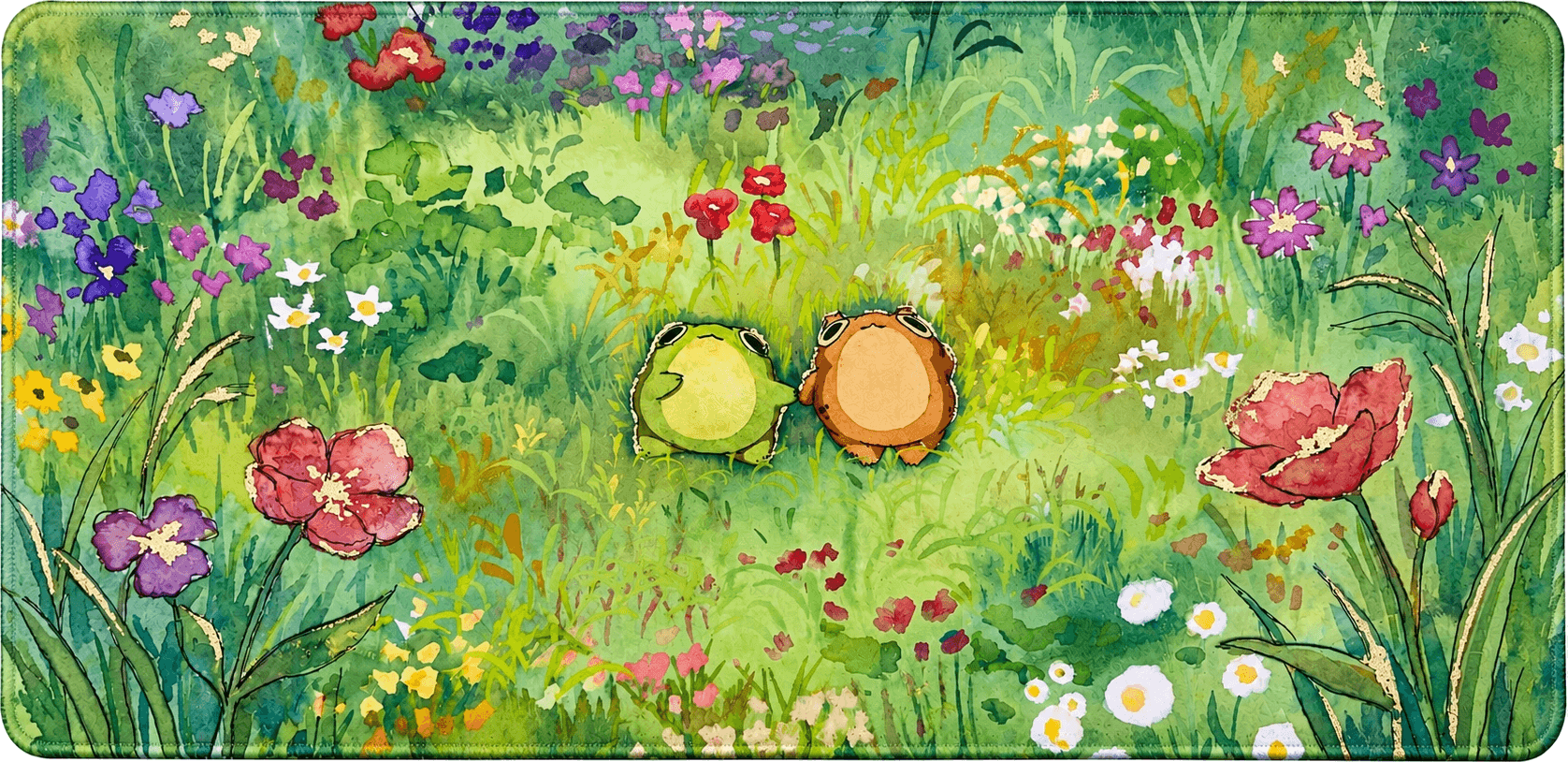
01Performance
Ultra Sensitivity
A fabric surface made for precise control — from tactical FPS flicks to slow, careful aims, with the optical and laser sensors gamers actually use.
02Grip
Non-slip
Base
Stability you can trust. The non-slip neoprene base anchors firmly to any desktop surface, so your mouse pad stays exactly where you put it — even during the most intense flick shots or rapid movements.
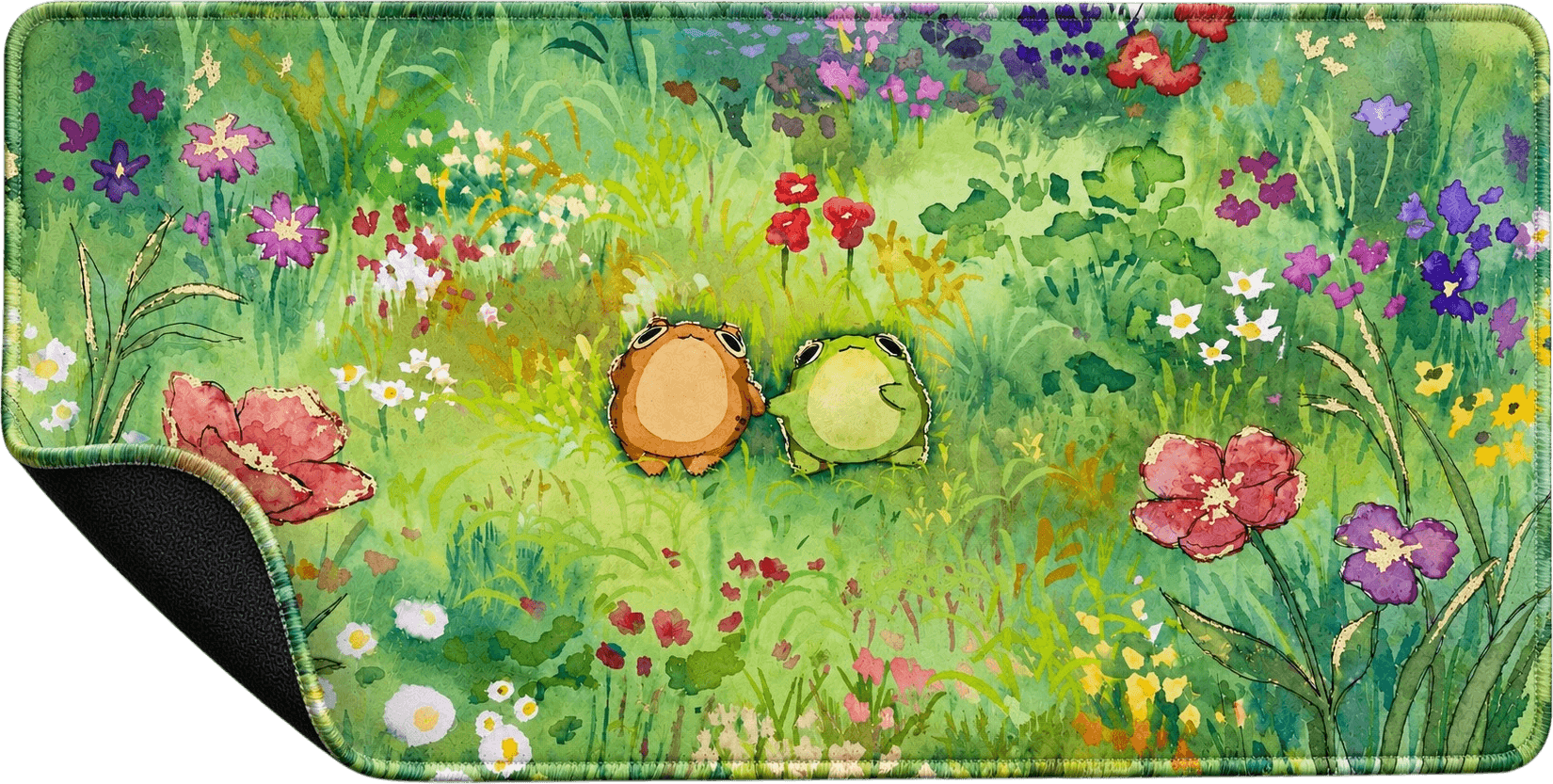
03Build
Stitched
Edges
Built to withstand the test of time. The reinforced double-stitched borders prevent fraying, peeling and wear, keeping your mouse pad looking sharp and structurally sound even after years of heavy daily use.
About Custom Mouse Pads & Desk Mats
Custom mouse pads and desk mats, made from your own image
Custom mouse pads from Padrift are printed with your own photo, artwork or logo, edge to edge, in seven sizes from a 16″ × 12″ (40 × 30 cm) mouse pad to a 48″ × 24″ (120 × 60 cm) desk mat. Each one is 3 mm neoprene with a fabric top made for precise control, stitched edges and a non-slip base. Upload your image and the builder tells you which size it fits best, then you can see the pad in 3D and on your own desk in AR before you order.
What is a custom mouse pad?
A custom mouse pad is a mouse pad printed with an image you choose instead of a ready-made design: a photo of your family or your pet, your own artwork, a screenshot from your favourite game, your team's logo or a pattern you made. It works exactly like any good computer mouse pad, giving your mouse a smooth, consistent surface and protecting your desk, but it's the one thing on your desk that is entirely yours.
Our custom computer mouse pads are made to order, one at a time, from the image you upload on this page. You place the image yourself, see the finished pad in 3D and in AR on your own desk, and we print it edge to edge, so the whole surface carries your design right up to the stitched border.
Custom printed mouse pads also make sense when nothing in a store quite fits: a size that matches your desk, a colour that matches your setup, or an image that means something to you. Because every pad here is printed to order from your file, you choose all three, and you see the result before anything is made, rather than guessing from a flat mock-up.
Custom desk mats: a mouse pad for your whole setup
A desk mat is simply a large mouse pad, big enough to sit under your keyboard and your mouse at the same time. It gives your whole setup one smooth surface, stops the keyboard from sliding, protects the desk and pulls everything together visually. Our larger sizes are custom desk mats: XL (36″ × 16″) covers a full-size keyboard and plenty of mouse space, while XXL (36″ × 24″), XXXL (40″ × 20″) and XXXXL (48″ × 24″) cover most of a standard desk.
A custom desk mat is where your own image has the most room to breathe: a wide landscape photo, a panoramic illustration or a game screenshot looks its best at desk-mat size. Ready-made designs are in our mouse pads and desk mats; if you want your own, this page makes custom desk mats from any image.
How to make your own mouse pad, step by step
Making your own mouse pad here takes a few minutes, and nothing is printed until you order.
- Choose a size. Pick from S (16″ × 12″) up to XXXXL (48″ × 24″). The size menu shows each one in inches and centimetres.
- Upload your image. Drop a PNG, JPG or WebP file (up to 40 MB) into the upload box, or browse for it.
- Check the size and the print. The Size check at the top of your upload tells you whether your image fits the size you chose, or which size fits it better, with a one-tap switch. The Print check below shows how sharp it will print, in DPI.
- Rotate it if you need to. Your image is printed stretched to the whole pad, edge to edge; an upright image can be turned sideways with one tap.
- See it in 3D and AR, then add it to your cart. If your image is low resolution, we sharpen it up for print and email you a proof to approve before printing.
Mouse pad sizes: which size should you choose?
The right mouse pad size depends on what you want on it and how much your arm moves. Every size below is printed, cushioned and finished the same way; only the area changes.
- S (16″ × 12″, 40 × 30 cm): a classic mouse pad for the mouse alone. Good for small desks and laptops.
- M (28″ × 12″, 70 × 30 cm) and L (32″ × 12″, 80 × 30 cm): long, slim pads with room for a compact or tenkeyless keyboard and your mouse side by side.
- XL (36″ × 16″, 90 × 40 cm): one of our best-selling sizes, a desk mat with room for a full-size keyboard and a wide mouse area.
- XXL (36″ × 24″, 90 × 60 cm): a deep desk mat that also covers the space in front of the keyboard, for a notebook, a controller or your forearms.
- XXXL (40″ × 20″, 100 × 50 cm): a wide desk mat for a keyboard, a mouse and room on both sides.
- XXXXL (48″ × 24″, 120 × 60 cm): our largest, covering most of a standard desk under your whole setup.
How to choose a mouse pad for your desk
Start with your desk, not the pad. Measure the width and depth of the space in front of your monitor, leaving room around the edges for a lamp, a speaker or a drink. A desk mat should sit comfortably inside that space with a little desk showing around it; a pad that hangs over the front edge or runs into the monitor stand won't lie flat.
Then think about how you move the mouse. If you move it mostly with your wrist, a small pad such as S (16″ × 12″) gives you all the room you need. If you move your whole arm, as many gamers on a low sensitivity do, choose a long pad or a desk mat so you never run off the edge mid-movement. If you want your keyboard on the same surface, go for a long pad (M or L) for a compact keyboard, or XL and larger for a full-size one with a number pad.
Finally, think about how the image will look. A desk mat shows the most of your image, but part of it will always sit under the keyboard; a small pad shows all of it, every day. The Size check helps with the last step: once you upload, it tells you which size your image's shape suits best.
Mouse pads for laptops and small desks
On a laptop desk, a dorm desk or a small home-office table, a smaller pad often works best. S (16″ × 12″) leaves the rest of the desk free and is easy to carry in a bag with a laptop. M (28″ × 12″) and L (32″ × 12″) are slim, only 11.8″ (30 cm) deep, so they fit along the front of a shallow desk while still leaving room for a compact keyboard next to your mouse.
If you use a laptop with an external mouse and keyboard, a long, slim pad in front of the laptop gives you one tidy surface for both, without covering the space where the laptop itself sits.
The size check: the right size for your image
Every image has a shape, and every mouse pad has one too. A wide photo looks great on a long desk mat but would be squeezed on a nearly square pad; a square photo is the other way round. Because your image is printed stretched to the whole pad, the closer the two shapes are, the more natural it looks.
As soon as you upload, the builder compares your image with every size and shows a Size check at the top of the upload: a perfect fit when your image suits the size you chose, or the size it fits better, how much less it would be stretched, and a button to switch. You can always keep the size you want; the check is there to help, not to limit you.
Designing a desk mat: what the keyboard will cover
On a desk mat, your keyboard sits on top of part of the image, usually left of centre for a right-handed setup, with the mouse to the right. Plan for that when you choose or design your image: put the most important part, such as a face, a character or a logo, where your hand and mouse will be, or along the top edge above the keyboard, rather than in the middle where the keys will cover it.
Wide landscapes, cityscapes, patterns and game scenery work especially well on desk mats, because they still look complete with a keyboard on top. If you're left-handed, the mouse area is on the left; use Rotate to turn your image if it reads better that way, and check the 3D preview, which shows the whole surface before you order.
Photo mouse pads and personalized gifts
Photo mouse pads are one of the easiest personalized gifts to get right: everyone uses a desk, and a favourite photo on a mouse pad is something they'll see every day. Popular choices are family photos, pets, a couple's photo, a holiday picture, a child's drawing or a group photo from a team or a trip.
For a personalized mouse pad that looks its best, use the original photo from your phone or camera rather than a screenshot or a photo saved from social media, which are usually much smaller. Phone photos are 4:3 or 3:4, so the Size check will usually suggest one of the deeper sizes, XXL (36″ × 24″), where the shape of the photo is kept almost exactly.
Custom gaming mouse pads
A custom gaming mouse pad combines a surface built for play with art that's yours: a screenshot from your main game, your favourite character, your clan's logo or a design from your stream. Our pads have a fabric surface made for precise control, from fast flicks to slow, careful aim, and it works with the optical and laser sensors gamers actually use.
Many players who use a low sensitivity choose a large or extended mouse pad so they never run out of room mid-swipe. XL and larger give you a full sweep of the arm with your keyboard on the same mat. For finished gaming designs, browse our gaming mouse pads and anime mouse pads.
Custom logo mouse pads for teams and business
A logo mouse pad is a simple, useful way to put your brand on every desk in an office, at a gaming team's setup or on a stream. Upload your logo with its background, or place it on a full-colour design, and check the 3D preview to see how it sits on the pad.
For logos and text, use a large, high-resolution file and keep them at least 0.6″ (1.5 cm) in from every edge so they stay clear of the stitching. Each pad is made to order, so a single pad is as easy to order as several; for a larger order for a team or an event, get in touch with us first.
What our custom mouse pads are made of
Every custom mouse pad is built like our ready-made ones. The top is a fabric made for precise mouse control. Under it is 3 mm of neoprene, which makes the pad comfortable under your wrist and forearm, and its non-slip underside grips the desk, so the pad stays exactly where you put it.
Your image is printed edge to edge in high resolution and resists fading. The border is stitched all the way round to stop fraying and peeling, and on our listed sizes the stitching itself is printed in your design's edge colours, so there's no plain black line around your art. A custom size is finished differently: it's cut by hand with square corners and stitched in black after printing, so it has a thin black border.
Getting the best print: image size and templates
For a sharp print, your image needs enough pixels for the size you choose. At 150 DPI a 16″ × 12″ (40 × 30 cm) pad wants about 2,400 × 1,800 pixels, a 36″ × 16″ (90 × 40 cm) desk mat about 5,400 × 2,400 pixels, and a 48″ × 24″ (120 × 60 cm) desk mat about 7,200 × 3,600 pixels. The Print check shows your file's DPI the moment you upload it, and how large it prints fully sharp.
Designing your own mouse pad in Photoshop or Illustrator? Download the PDF template for your size from this page. Each one shows the cut line, a safe area 0.6″ (1.5 cm) inside it for faces, text and logos, and 0.3″ (7.5 mm) of bleed for your background to run into, with the exact pixel size to export. A few more tips:
- Use the original file, not a screenshot or a compressed copy from a chat app.
- Keep faces, text and logos inside the safe area, clear of the stitched edge.
- Choose a size whose shape matches your image, so nothing looks stretched.
- Only upload images you have the right to print: your own photos and art, or a design you're allowed to use.
See your mouse pad before you order, in 3D and AR
The pad on this page is a live 3D model of your custom mouse pad: turn it to see the print, the stitched edges and the thickness. On a phone, View on your desk opens it in AR at its real size, so you can see exactly how much of your desk an XL or XXL desk mat covers before you buy.
How to clean a mouse pad
To clean a fabric mouse pad like ours, spot clean it: wipe the surface gently with a damp cloth and a little mild soap, then let it air dry flat before you use it again. For everyday dust and crumbs, a quick wipe or a light shake is enough.
Keeping your desk clean and dry helps too: the rubber base grips best on a clean surface, so the pad stays put. When your new pad arrives, lay it flat on the desk; any curl from shipping relaxes on its own after a few hours.
Do you need a mouse pad?
Modern mice work on many surfaces, but a mouse pad still makes a real difference. It gives the sensor a consistent surface to track, so movement feels the same everywhere on the pad; it lets the mouse glide smoothly instead of catching on wood grain or glass; it protects your desk from scratches and wear; and the cushioning makes long sessions more comfortable for your wrist.
If you're asking what else can be used as a mouse pad, a TCG playmat is a common answer: it's the same kind of cloth-topped rubber mat. If you play card games too, our custom playmats use the same upload and 3D preview as this page.
Your image on more than a mouse pad
The image you upload here works on every Padrift builder. Put the same design on a custom area rug in crushed or plush velvet for the floor of your room, or turn it into custom wall art as a poster, canvas or framed canvas for the wall above your desk. Every builder shows your design in 3D and in AR before you order.
FAQ
Questions about Custom Mouse Pads & Desk Mats
How do I make a custom mouse pad?
Choose a size, upload your image, check the Size check and Print check, rotate it if you need to, and see it in 3D and AR before you add it to your cart. Nothing is printed until you order.
What sizes do your custom mouse pads come in?
Seven sizes: S 16″ × 12″, M 28″ × 12″, L 32″ × 12″, XL 36″ × 16″, XXL 36″ × 24″, XXXL 40″ × 20″ and XXXXL 48″ × 24″ (40 × 30 cm up to 120 × 60 cm). The larger sizes work as desk mats. You can also enter your own size under Custom size.
Can I order a mouse pad in a custom size?
Yes. Under Custom size, enter any width up to 78.7″ (200 cm) and any height up to 39.4″ (100 cm), to the millimetre. A custom size is cut by hand with square corners, then finished with black overlock stitching after printing, so unlike our listed sizes its border isn't printed in your design's colours. The stitching covers a few millimetres of the edge, so keep faces, text and logos at least 0.6″ (1.5 cm) in from every side.
Can I make a custom desk mat?
Yes. XL (36″ × 16″) and larger are desk mats, with room for your keyboard and mouse. XXXXL (48″ × 24″) covers most of a standard desk.
Which size fits my image best?
Upload it and look at the Size check at the top of the upload: it compares your image with every size and suggests the one it fits best, with a one-tap switch. You can still choose any size you like.
What image resolution do I need?
About 150 DPI at the size you choose: roughly 2,400 × 1,800 pixels for a 16″ × 12″ (40 × 30 cm) pad and 5,400 × 2,400 pixels for a 36″ × 16″ (90 × 40 cm) desk mat. The Print check shows your file's DPI as soon as you upload it.
What if my image is low resolution?
Don't worry. We sharpen it up for print and email you a proof to approve before anything is printed.
Which file types can I upload?
PNG, JPG and WebP, up to 40 MB.
Is there a template for designing in Photoshop or Illustrator?
Yes. Every size has a PDF template on this page, with the cut line, a safe area 0.6″ (1.5 cm) inside it, 0.3″ (7.5 mm) of bleed and the exact pixel size to export.
Will my image be cropped?
No. Your image is printed stretched to the whole pad, edge to edge, so nothing is cut off. Choosing a size whose shape matches your image keeps it from looking stretched; the Size check helps you pick one.
What are your mouse pads made of?
3 mm neoprene with a fabric top made for precise control, stitched edges and a non-slip base that grips the desk.
Are the mouse pads good for gaming?
Yes. The fabric surface is made for precise control, from fast flicks to slow, careful aim, and works with optical and laser mouse sensors.
How do I clean my mouse pad?
Spot clean it with a damp cloth and a little mild soap, then let it air dry flat before using it again.
Will the print fade or peel?
No. The image is printed in high resolution and resists fading, and the stitched border stops the edges from fraying or peeling.
Can I see my mouse pad before I order?
Yes. Your design is shown on a 3D mouse pad you can turn and zoom, and on a phone you can place it on your own desk in AR at its real size.
Can I make a mouse pad with my logo?
Yes. Upload your logo or a design that includes it, keep it at least 0.6″ (1.5 cm) from the edges, and check it in the 3D preview. For a larger order for a team or an event, get in touch with us first.
Can I put the same image on other products?
Yes. The same upload works on our custom playmats, custom rugs and custom wall art, each with a 3D and AR preview.